How to Create React Apps With Node.js Express Server
Posted July 27, 2023
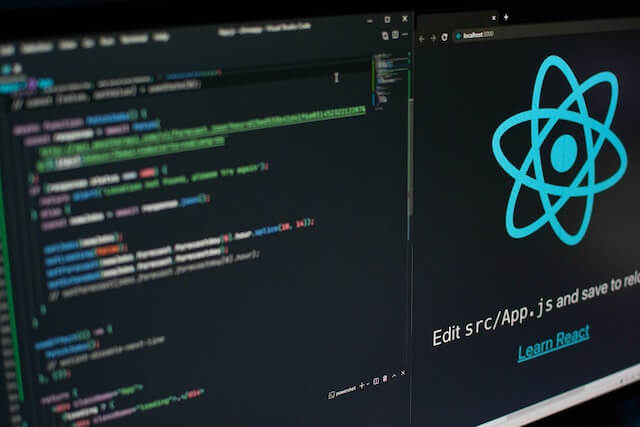
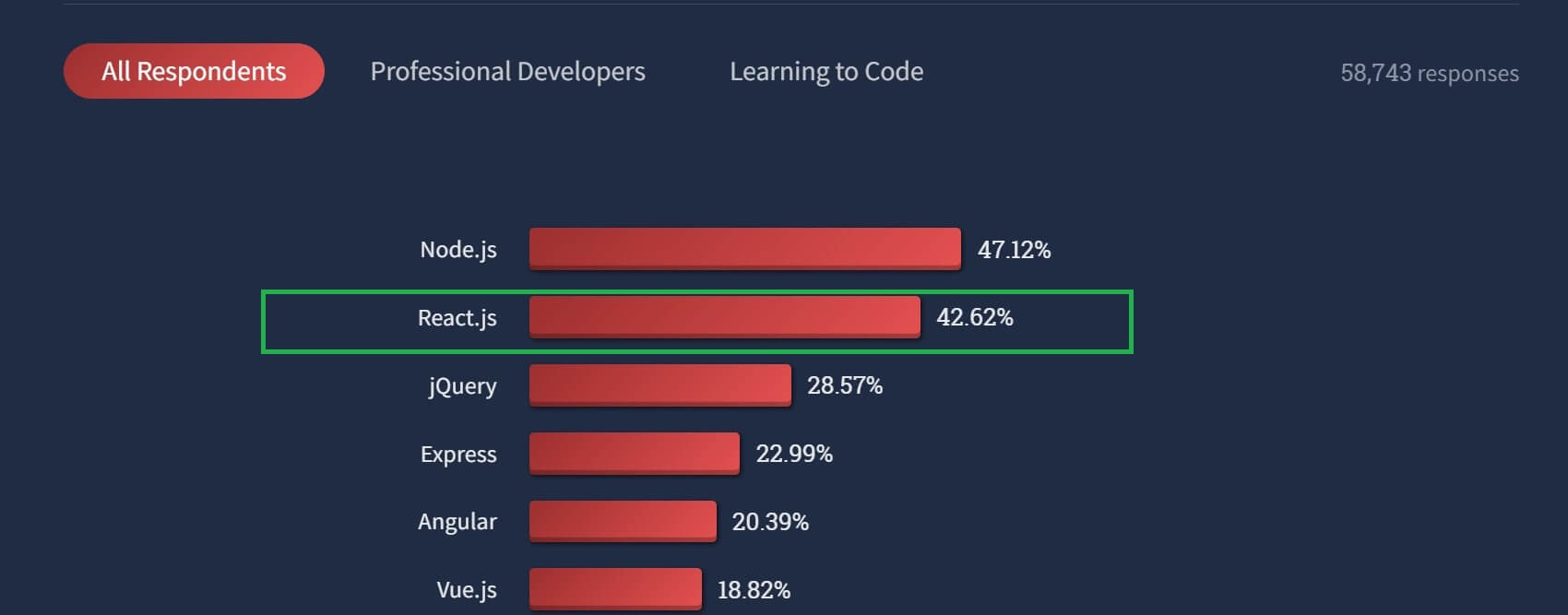
React is a JavaScript-based framework for building fast and interactive UIs for mobile and web apps. Currently, it’s the most popular JavaScript framework for building frontend applications. A 2022 survey carried out by stack overflow indicated that React is dominating framework for building backend applications for both the Professional Developers and those Learning to Code.
React uses components to run a UI. React defines each section of applications as a component. This becomes handy for building and arranging your UI. You build independent isolated, and reusable components across the application. The components are then composed together to build complex UIs.
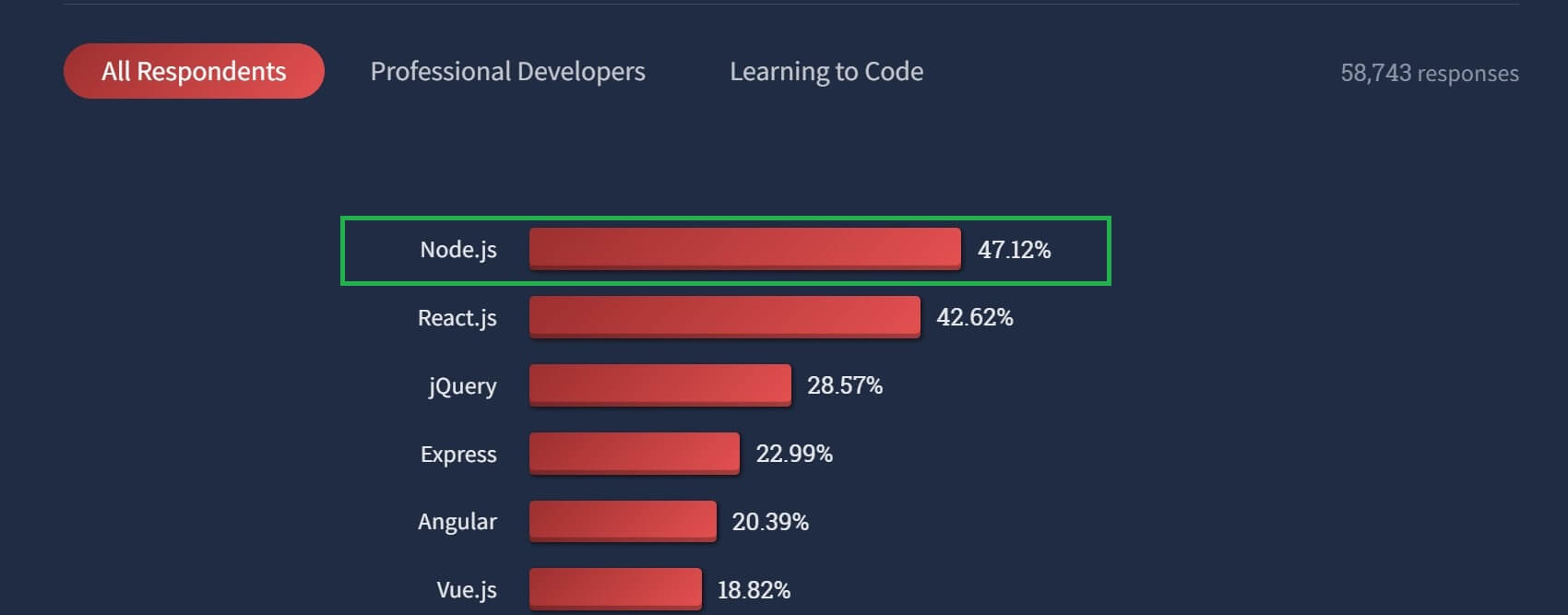
On the other hand, Node.js is a runtime that allows you to run JavaScript on a server. This will enable you to run JavaScript outside a browser. Node.js is basically used to build APIs. One thing that makes Node.js popular is it’s vast open-source liaises that you can use to run any Node.js API.
Node.js is even the most popular framework that most developers in the community use.
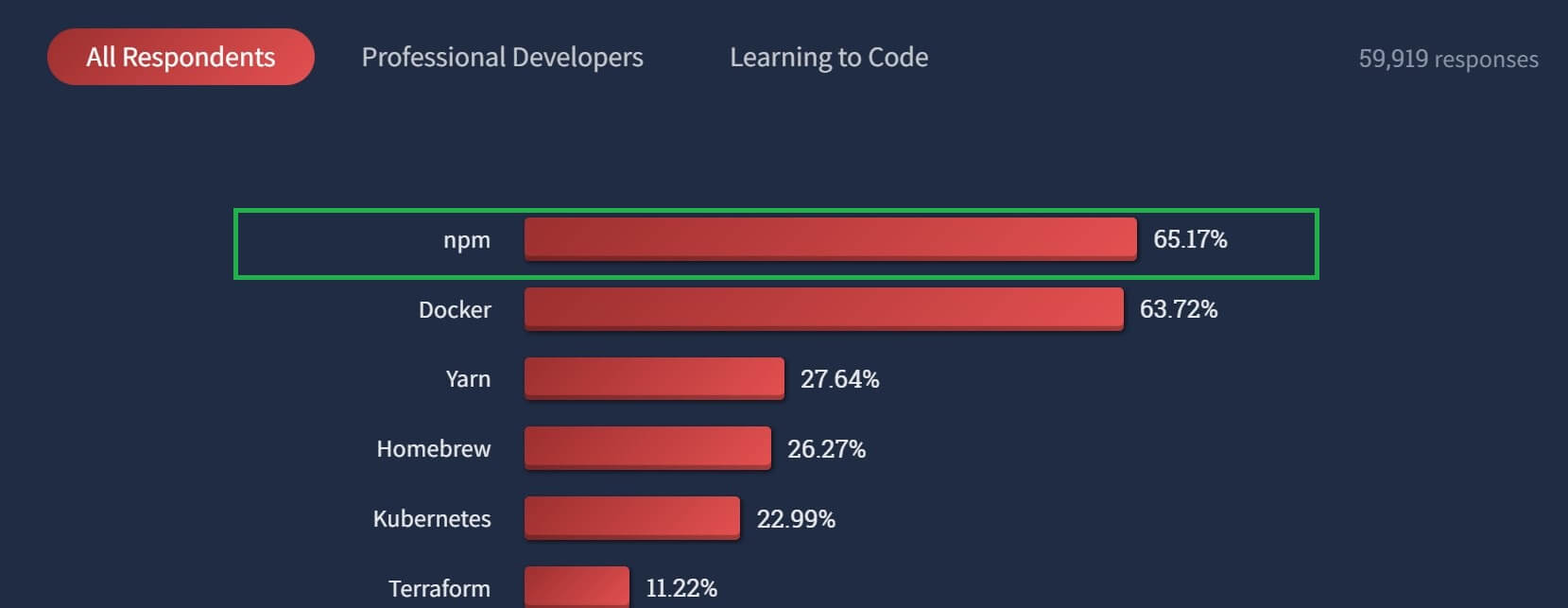
Node.js uses NPM and yarn to manage your project. These tools allow you to use NPM registry packages and incorporate them into your project. Notably, the NPM is the most popular tool that most developers use.
Given that these two frameworks make up the vast developer community, it would be great to combine them and run an application together. This way, you create a full-stack application leveraging the most popular frameworks for backend and frontend development.
This tutorial will show you how to server a React.js application with a Node.js Express server to run a fullstack application Create React App With Express.
Creating a React Node.js Server App
To create this full-stack application, we need an API to serve data. This is where Node.js comes in handy. Create a Project directory. Inside this parent folder, create a server directory. Open a command line that points to this directory and initialize Node.js using the following command:
npm init -y
After that, we need to install the following NPM packages using an NPM command (you can still choose to use yarn based on your preferences).
- Express - To create a Node.js server, we will use Express. Express is a Node.js NPM package for creating opinionated and minimalist HTTP servers
- CORS - CORS stands for Cross-origin resource sharing. When creating an application that runs on different ports, you need CORS for cross-domain resource sharing.
Related: How to use CORS in Node.js With Express With Examples
To install them, run:
npm install express cors
Creating an Express Node.js API For your React App
When using Node.js, you can create any API that fits your application. This allows you to combine any databases to manage your data and perform different operations.
We will create a minimalist API for demonstration purposes that gets its data from a JSON file. You can choose to manage this data using a database. For example, Node.js using MySQL, MongoDB, PostgreSQL, etc.
Create a data.json file inside a server directory. Then add your data to the file as follows:
[
  {
    "name": "Cheetah",
    "description": "Lorem dolor ipsum sit amet, adipiscing consectetur incididunt sed elit, do eiusmod tempor ut labore et dolore magna veniam enim aliqua.",
    "image": "https://cdn.pixabay.com/photo/2022/06/22/10/47/cheetah-7277665_1280.jpg"
  }
]
Add more content to this list following the above format.
At the server directory, create an index.js file and create the API as follows:
- Import the Express and CORS dependencies:
// import express for server set up
const express = require('express')
// import cors for resource sharing to react
const cors = require('cors')
- Add the Express and CORS middleware:
// initialize the express server
const app = express();
// Intilize cors to allows resource sharing to react

app.use(cors())
- Import the data source from the
data.jsonfile:
const data = require('./data.json');
- Add a port number to run the API:
const port = process.env.PORT || 4000;
- Create a route to access the API:
app.get('/data', (req, res) => {
  res.json(data);
});
- Execute and run the API on the designated port number:
// use listen() to execute the server locally
app.listen(port, () => {
  // Log the port number that the server will be accessed on
  console.log(` Server Listening Port ${port}`);
});
The API is ready. Run the following command to serve your data:
node index.js
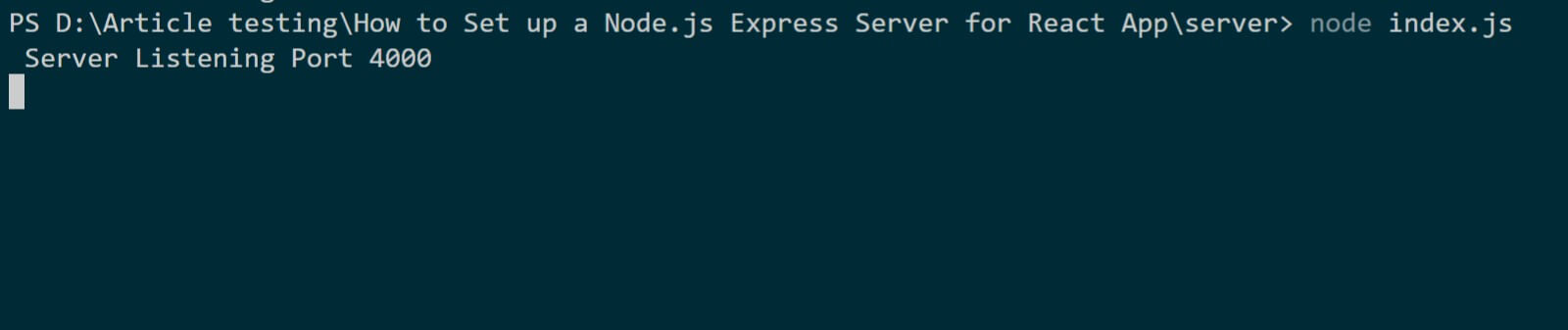
If you open the URL http://localhost:4000/data on Postman or a browser, you should be served with the data you added in the data.json file.
Creating the Frontend React Application with Express Server
We want to consume this API using the React frontend. First, open a command line that points to your parent directory and initialize the Node.js application using:
npx create-react-app client
This will create a React app inside a client directory. Change the command line to this directory:
cd client
Then npm start to start this React development server. Open the http://localhost:3000 to test the running React application.
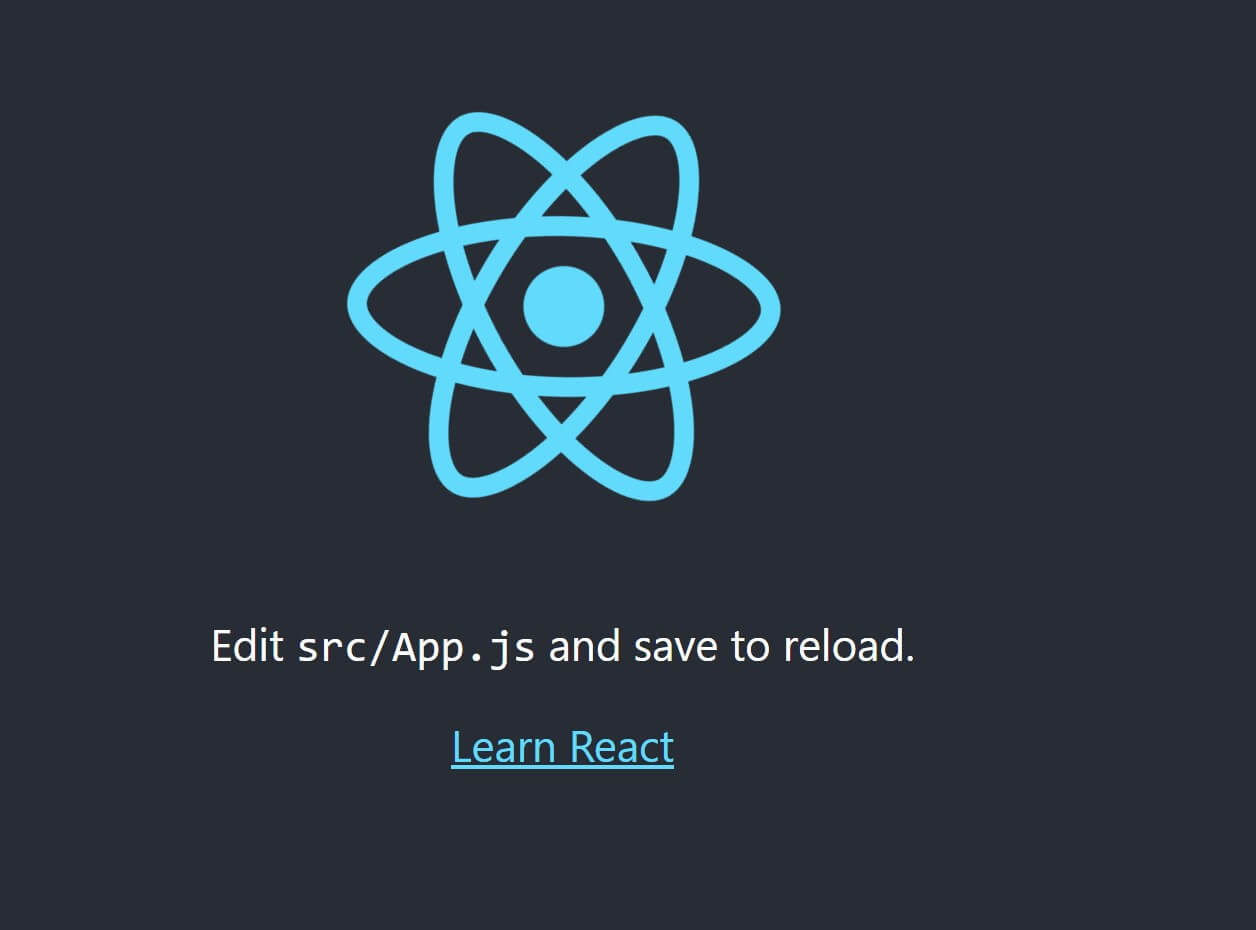
To communicate with the API, add the following libraries:
- Axios is a promised page library for communicating with a backend server.
- Bootstrap - This is a fronted library for styling UI. You can use any styling libraries of your choice.
To install the run:
npm install axios bootstrap
Navigate to the client\src\App.js file and implement your React frontend as follows:
- Import the dependencies:
import React, { useEffect, useState } from "react";
// import Axios for communicating with a backend server
import axios from 'axios';
- Inside the
App()function add a React state:
const [animals, setAnimals] = useState([])
Note: Any other code will go Inside the App() function
- Add a React
useEffect:
useEffect(() => {
  fetchAnimals()
}, [])
- Consume the API using Axios:
const fetchAnimals = async () => {
  let response = await axios
    .get(`http://localhost:4000/data`)
    .catch(console.log);
  setAnimals(response.data)
}
- Finally, render UI with the consumed data:
return (
    <div className="card text-center bg-dark animate__animated animate__fadeInUp">
      <div className="row">
        {
          players.map(player => (
            <div>
              <div className="overflow">
                <img src={player.image} alt="a wallpaper"/>
              </div>

              <div className="text-light card-body">
                <h4 className="card-title">{player.name}</h4>
                <p className="text-secondary card-text">
                  {player.description}
                </p>
              </div>
            </div>
          ))
        }
      </div>
    </div >
  );
Test the Fullstack Create React Express App
To test this setup, ensure both the Node.js and React apps are running. Then go to http://localhost:3000.
React will server a UI that has the API data.
Conclusion
Now that you have mastered How to create React Apps with a Node.js Express Server for , why not dive deeper and learn the Complete Guide to Creating Flask APIs with React apps and use Flask API Resource sharing with React.
Or do you want to take your React skills to a new height? Learn How to Build and Implement Infinite Scroll in React Apps. Get crazier learning this Consuming GraphQL API with ReactJS Definitive guide.
You will love it!
More Related Articles:
-

Using Prisma ORM with Node.js and PostgreSQL
Prisma is a Node.js and typescript ORM. an ORM that means Object Relational Mapping tool that can communicate with databases such as MongoDB, MySQL
Jul 29, 2023
-

How to use CORS in Node.js With Express - Resolve CORS Error With Examples
CORS (Cross-Origin Resource Sharing) is a security feature implemented by web browsers to block web pages from requesting a different domain not
Jul 19, 2023
-

Ultimate Guide to Building Node.js REST APIs using TypeScript
Typescript can be defined as a strict syntactical superset of JavaScript. It allows you to use features such as static typing to help you detect
Jul 19, 2023
-

Guide to Creating CRUD APIs in Flask
Flask is a web framework for building web applications using Python. It is known for its lightweight and simple design. This makes it easy to get
Jul 28, 2023